

cyubeVR
Offers





Trailers & screenshots
1 / 34


About cyubeVR
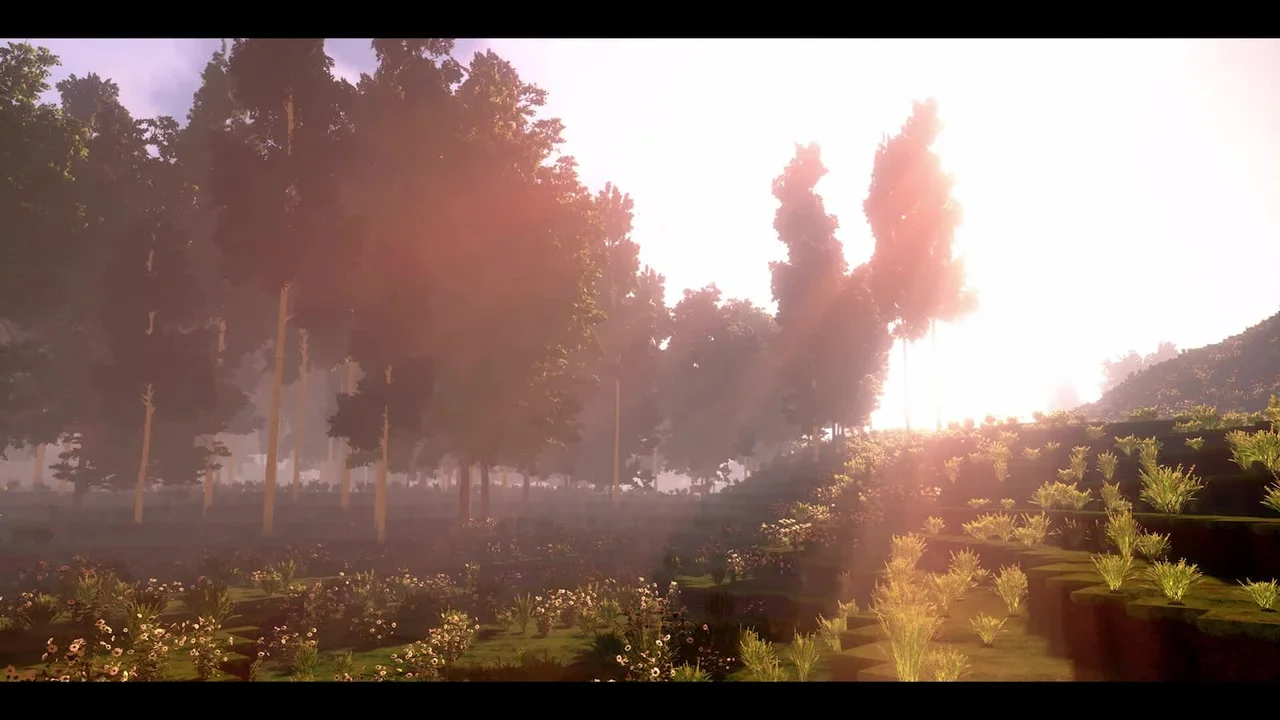
cyubeVR is a virtual reality voxel game built for VR. You explore an infinite, procedurally generated world, gather resources and use them to build structures. You can enter a world seed or have the game generate one for you.
Explore the world
The world contains complex cave networks, huge hills and massive floating islands. You can travel without a set limit, climb for views across the landscape or build your own route up to the islands. Dynamic weather shifts smoothly between sunny conditions, rain and snow.
Build and craft
Use gathered resources to make anything you can imagine, from a mountain fortress or a bridge between floating islands to complex underground structures. The building system is designed for roomscale VR, and you can move blocks after placing them. You can mine, collect and charge magic crystals to place up to nine blocks at once.
Crafting uses your hands directly in the world, without menus or buttons. The furnace also uses physical VR interactions: put combustible items in its lower chamber and items to melt in its upper chamber, then use flintstones to create sparks and light the fire. You can dual-wield all tools, and use a vacuum bucket to collect items into your inventory. Magic crystals can strengthen the bucket: blue energy makes it suck, while red energy makes it blow. Sunlight charges a crystal blue, and moonlight charges it red.
VR tools and controls
Gravity Gloves let you grab items and tools without bending down or moving much. The game detects your controller and adjusts its controls and tutorial accordingly. It has four control schemes, individually designed for HTC Vive Controllers, Valve Index Controllers, Oculus Touch Controllers (Rift, Rift S, Quest and Quest 2), and Windows Mixed Reality Controllers. It supports full finger tracking with Valve Index Controllers and approximates it on other controllers.
You can choose Smooth Locomotion or Teleport. Smooth Locomotion can be oriented to either the controller or your head; turning can be smooth or snap-based, with snap turns in 22.5° or 45° steps and an adjustable speed for smooth turning. Dynamic Picture Frames let you import PNG or JPG files from your PC and display them in resizable, movable frames that you can use to decorate a virtual house.
Frequently asked questions
The best price for cyubeVR is $8.88 at Kinguin. That is 70% less than on Steam, where it costs $29.99. 5 shops have an offer that activates in your country.
Some are. This page only shows offers that activate in your country; offers for other regions, or with no stated region, are left out. To see the offers for another country, change your country at the top of the page.
Every key we list activates on Steam. Redeem the key there and cyubeVR stays in your library for good.
Yes, with a small risk. Publishers create keys to sell in other shops, which is why a key can cost less than in the official store, and once you activate it the game is yours to keep, just like a store purchase. On average 1–2% of keys fail, so check the shop's buyer protection before you buy: the official store does not refund keys bought elsewhere.
The minimum requirements for cyubeVR are: Windows 7, GeForce GTX 1060, AMD Ryzen, 14 GB RAM, 20 GB storage. It runs on Windows only. The recommended specs are in the System requirements section.
No. cyubeVR is a single-player game.
No. Valve rates cyubeVR as Unsupported on the Steam Deck.
Buy cyubeVR 70% cheaper than on Steam.
cyubeVR is available for 70% less in shops such as Kinguin, Eneba, or K4G.
Steam lets publishers create keys to sell in other shops. Once you activate a key, the game is yours to keep, just like a store purchase.
Disclaimer: CD keys have an inherent 1–2% average failure rate. Check the shop terms for buyer protection info. Steam offers no buyer protection for keys bought in other shops and doesn't refund them.
Similar games

Rising World
$14.99
1 offer
Terraria
−66%$3.38
$9.9918 offers

The Forest
−5%$18.99
$19.9910 offers
Starbound
−88%$1.72
$14.9916 offers
Valheim
−47%$15.74
$29.9921 offers
No Man's Sky
−83%$10.18
$59.9929 offers
Core Keeper
−70%$5.97
$19.9922 offers
Rust
−39%$24.00
$39.999 offers
Dragon Quest Builders 2
−54%$22.65
$49.9916 offers
Icarus
−36%$23.94
$37.496 offers
7 Days to Die
−63%$16.39
$44.9919 offers
TerraTech
−89%$2.51
$24.9918 offers