

Pop up Blaster
Offers


Trailers & screenshots
1 / 15


About Pop up Blaster
Pop up Blaster is a shooting game in which you use guns and explosives to destroy popups on a computer screen. You earn points by hitting popups, manage your weapons and try to keep the CPU’s health above zero. The game has seven settings, including difficulty, and lets you adjust its appearance and sound.
Weapons and upgrades
You start each round with a handgun. Spend points to upgrade it to an automatic handgun and then a machine gun, and unlock a shotgun and explosives. Explosives destroy all popups on screen at once; their upgrade reduces reload time. Each weapon fires at a different rate, with the shotgun firing slowest and the machine gun fastest. Hold the left mouse button to fire continuously or click and release for a single shot.
Most weapons have limited ammunition and must be reloaded when empty. Reloading takes an animation, during which you can use another weapon, but you cannot select a weapon that needs reloading or upgrade it. Grenades and dynamite detonate after a delay, so you can switch weapons and shoot while they are in the air. Each is a one-shot weapon and must be reloaded after use. Unlocking or upgrading a weapon automatically switches to it, except for grenades and dynamite.
Rounds and scores
Start a round using the power button on the in-game computer. You can end it early with the same button; scores that beat the lowest entry on the high-score table are saved. A round also ends when the CPU’s health reaches zero, and qualifying scores are saved then as well. You can view the table from the pause menu, reset all scores to zero or quickly start another round without being taken to the table automatically.
Settings and pause menu
The pause menu has three tabs: “Information and credits,” “Sound and visualization” and “Technician log.” Most options are in the sound and visualization tab, while difficulty is in information and credits. Options can be saved and carry over between sessions. They include:
- Gun visuals: realistic or cartoonish.
- Sounds: realistic or cartoonish.
- Weapon volume: levels 0–5, with 5 representing 100%.
- Target: visible or hidden.
- Attack radius: visible or hidden.
- Mouse style: six cursor styles.
Frequently asked questions
The best price for Pop up Blaster is $5.99 at Steam. It is the only shop with an offer that activates in your country.
The minimum requirements for Pop up Blaster are: Windows 10, Intel Core i3, 4 GB RAM, 70 MB storage. It runs on Windows only. The recommended specs are in the System requirements section.
No. Pop up Blaster is a single-player game.
Yes. Pop up Blaster is the full base game. You need nothing else to play it.
Steam lets publishers create keys to sell in other shops. Once you activate a key, the game is yours to keep, just like a store purchase.
Disclaimer: CD keys have an inherent 1–2% average failure rate. Check the shop terms for buyer protection info. Steam offers no buyer protection for keys bought in other shops and doesn't refund them.
Similar games

To the Core
$7.99
1 offer
Space Rock Breaker
$2.99
1 offer
Human-powered spacecraft
$0.99
1 offer

Achievement Clicker
$0.99
2 offers

Shelldiver
−62%$1.87
$4.995 offers

Rule No. 1
$2.99
1 offer
Rock Bottom
$7.99
1 offer
Berry Bury Berry
$7.99
2 offers
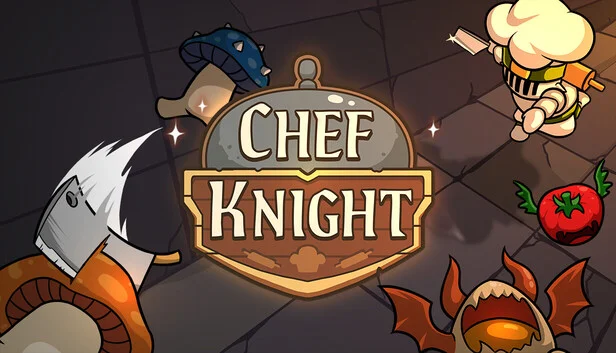
Chef Knight
−28%$4.27
$5.995 offers
A Game About Feeding A Black Hole
$6.99
1 offer
Tower Wizard
$2.99
1 offer
Nodebuster
$2.99
1 offer