

Joy of Programming: Software Engineering Simulator
Offers


Trailers & screenshots
1 / 16

About Joy of Programming: Software Engineering Simulator
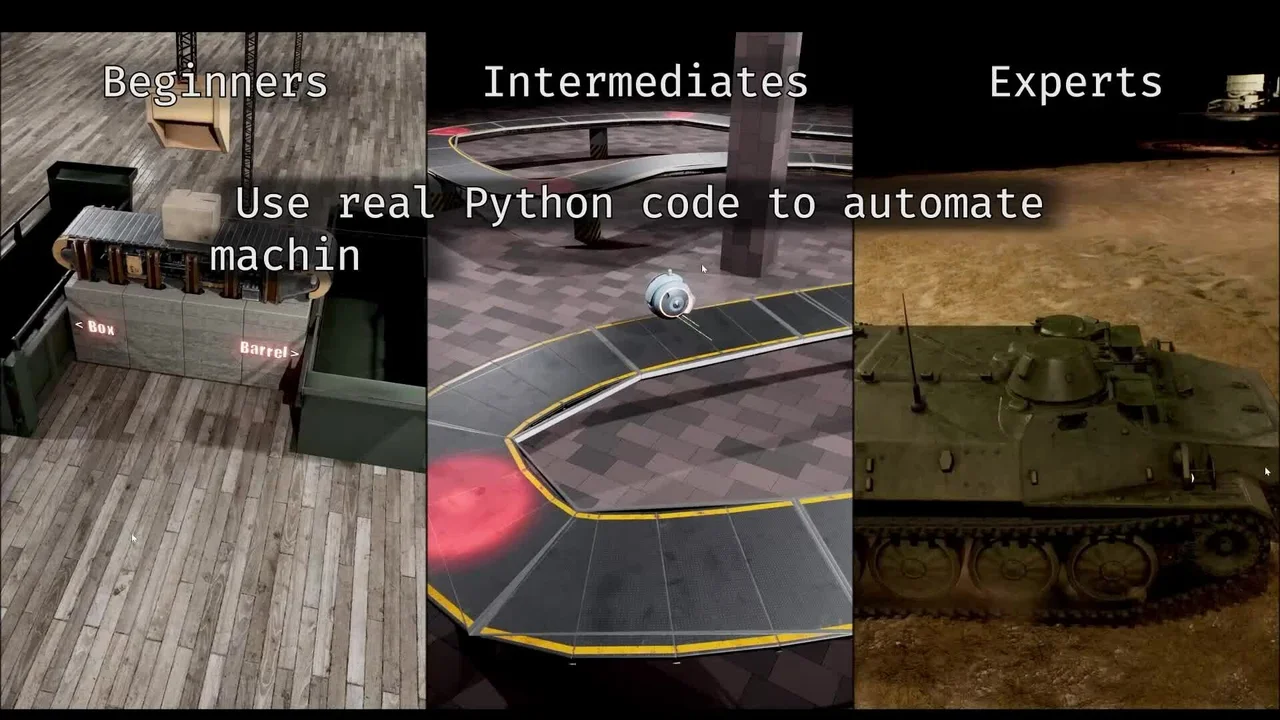
Joy of Programming: Software Engineering Simulator is a 3D programming puzzle game in which you automate and control machines, robots, drones and other devices using functional Python code. You solve programming challenges, earn stars by completing levels and use them to unlock programming features. Prior programming knowledge and a strong interest in programming are recommended.
Programming challenges
Challenges cover robotics, logistics, algorithms and creative coding. You can automate the transport of items, stabilize robots using PID feedback, write navigation code for cars, crack passwords with brute force, solve algorithms and data-structure problems, control sniper rifles, count coins with image processing and guide missiles with computer vision. Levels have multiple valid solutions, one mandatory goal and up to three optional goals. The game gives immediate, incremental feedback as your code runs, and several challenges remain available so you do not have to get stuck on a single level.
Learn and progress
Tutorial levels introduce the programming concepts used in the game. You can find collectible factsheets with computer-science facts, earn stars to unlock features and work toward certificates by completing all levels in a category. The challenges require thinking, gathering information and debugging, and can involve frustration as you work toward a solution.
Python tools
The game uses real Python code rather than pseudocode or an invented language, with packages including numpy, pandas, scipy, pillow and sklearn. Its in-game, CodeMirror-based IDE includes syntax highlighting, autocomplete, docstring tooltips, debugging, auto-indentation, code folding, copy and paste, and undo and redo. You can also use an external IDE such as VSCode or PyCharm.
Create and compare
An included Python-based level editor lets you create and script new puzzles, which you can optionally share through the Workshop. You can compare your best solution anonymously with others by speed, memory use and code length, and optionally submit solutions and code to leaderboards. The game also includes a YouTube series with example solutions for several levels, explained step by step.
Frequently asked questions
The best price for Joy of Programming: Software Engineering Simulator is $17.99 at Steam. It is the only shop with an offer that activates in your country.
The minimum requirements for Joy of Programming: Software Engineering Simulator are: Windows 10, GeForce GTX 1070, Intel Core i5-8400, 8 GB RAM, 12 GB storage. It runs on Windows only. The recommended specs are in the System requirements section.
No. Joy of Programming: Software Engineering Simulator is a single-player game.
Yes. Valve rates Joy of Programming: Software Engineering Simulator as Verified on the Steam Deck: it runs well out of the box.
Yes. Joy of Programming: Software Engineering Simulator is the full base game. You need nothing else to play it.
Steam lets publishers create keys to sell in other shops. Once you activate a key, the game is yours to keep, just like a store purchase.
Disclaimer: CD keys have an inherent 1–2% average failure rate. Check the shop terms for buyer protection info. Steam offers no buyer protection for keys bought in other shops and doesn't refund them.
Similar games

The Farmer Was Replaced
−30%$6.99
$9.996 offers

Molek-Syntez
−94%$0.50
$9.999 offers
A=B
$4.99
1 offer

Craftomation 101
−25%$11.24
$14.991 offer

Bombe
$9.99
1 offer
Autonauts
−92%$1.55
$19.9913 offers
Shenzhen I/O
−65%$5.12
$14.997 offers
Retro Gadgets
−15%$16.88
$19.996 offers
Opus Magnum
−51%$9.68
$19.9911 offers

Exapunks
−96%$0.79
$19.9912 offers

Shapez 2: Factory
−78%$8.69
$39.9912 offers

TIS-100
−87%$0.89
$6.9911 offers